
Choosing the right PC parts is essential when building a gaming computer, workstation, or everyday desktop. A powerful GPU or processor alone does not guarantee strong performance; the graphics card, CPU, motherboard, memory, storage, cooling system, and power supply must work together as a balanced system.
Understanding the relationship between graphics cards, processors, and motherboard compatibility can help you avoid unnecessary upgrades, reduce compatibility issues, and select components that match your gaming or productivity requirements.
What Are the Essential PC Parts?
A complete PC typically includes a processor, motherboard, graphics card, RAM, storage, power supply, cooling solution, and computer case.
The processor handles instructions, applications, multitasking, and many game calculations. The GPU processes graphics and visual workloads, while the motherboard connects these components and determines which CPUs, memory modules, storage devices, and expansion cards can be installed.
RAM provides temporary working memory, while SSD storage holds the operating system, applications, games, and files. The PSU supplies power to the system, and cooling components help keep temperatures under control.
Because these components depend on one another, selecting PC parts as a complete system is usually more effective than choosing each component independently.

What Is a GPU and Why Is It Important?
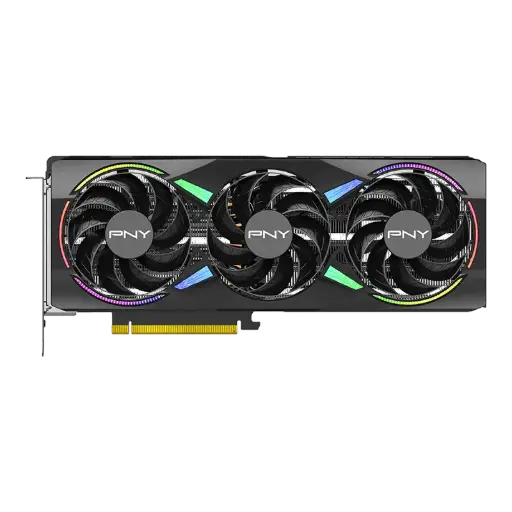
A GPU, or Graphics Processing Unit, is designed to process graphics and large numbers of parallel calculations efficiently. In gaming computers, it is responsible for rendering frames, textures, lighting, shadows, and visual effects.
The required GPU performance depends heavily on display resolution. Gaming at 1080p generally requires less graphics power than playing at 1440p or 4K.
Target FPS also matters. Competitive gamers may want a graphics card capable of producing high frame rates, while players focused on visually demanding AAA games may prioritize higher graphics settings, ray tracing, and image quality.
GPU performance can also benefit workloads outside gaming, including 3D rendering, video production, AI applications, and other GPU-accelerated software.
How Do You Compare Graphics Cards?
When comparing graphics cards, the model name is only one factor to consider.
VRAM capacity affects how much graphics data can be stored close to the GPU. Higher-resolution gaming, detailed textures, and some professional workloads can require additional video memory.
You should also consider power consumption, physical dimensions, cooling design, memory type, supported technologies, and the performance level required by your games or applications.
Compatibility with the rest of the system matters as well. The case must have enough room for the graphics card, while the power supply needs sufficient capacity and suitable connectors.
A strong GPU should also be paired with a capable processor. An unbalanced combination can prevent the system from delivering the level of performance expected from the graphics card.
How Do You Choose the Right Processors?
Processors, or CPUs, handle general computing tasks and play an important role in both gaming and professional workloads.
When comparing CPUs, consider core count, thread count, clock speeds, cache, architecture, power requirements, and application performance.
Gaming requirements can vary significantly. Some games rely heavily on single-thread performance, while others can use multiple cores more effectively. High-FPS gaming can also place greater demand on CPU performance.
Professional workloads such as video editing, rendering, software development, and multitasking may benefit from higher core and thread counts depending on the software.
The processor should therefore be selected according to the complete workload rather than specifications alone.
Why Is Motherboard Compatibility Important?
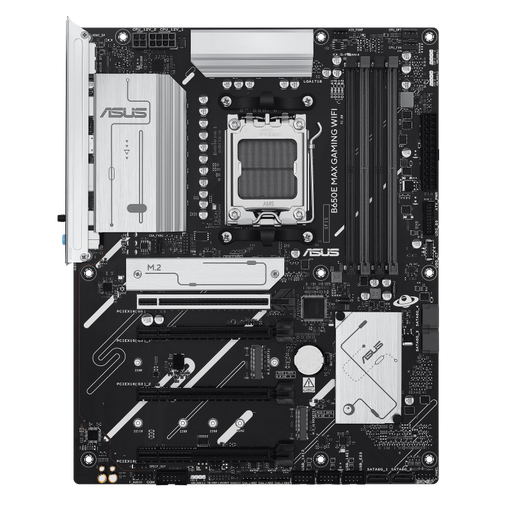
The motherboard provides the platform that connects most PC parts. Choosing the wrong board can create compatibility problems even when the individual components offer excellent performance.
The CPU socket is one of the first specifications to check. The processor must physically and technically support the motherboard socket and chipset.
Memory compatibility also matters. Depending on the platform, the motherboard may support DDR4 or DDR5 RAM, different memory speeds, and different maximum capacities.
Other motherboard features include PCIe expansion slots, M.2 connections for NVMe SSDs, SATA ports, USB connectivity, networking, Wi-Fi, audio, and BIOS features.
The physical form factor, such as ATX or Micro-ATX, also needs to match the computer case.
How Do the GPU, Processor, and Motherboard Work Together?
These components perform different tasks but remain closely connected.
The processor communicates with the motherboard through its CPU socket, while the graphics card typically connects through a PCIe slot. Memory and SSD storage also connect directly to motherboard interfaces.
During gaming, the CPU processes game logic and prepares data while the GPU handles graphics rendering. Performance can therefore depend on how efficiently both components work together.
The motherboard does not automatically increase gaming FPS simply because it is more expensive, but it provides the connectivity, power delivery, compatibility, and expansion features required by the CPU, GPU, RAM, and storage.
Should You Choose the GPU or Processor First?
For a gaming-focused PC build, it often makes sense to begin with the required graphics performance.
Determine whether the system will target 1080p, 1440p, or 4K gaming and choose a suitable GPU. You can then select a processor that complements the graphics card and supports your target frame rate.
For productivity-focused computers, the process may be different. Users running CPU-intensive software may choose the processor first and then select the motherboard and GPU according to their other workloads.
There is no single order that applies to every PC. The correct priority depends on the main purpose of the system.
What Other PC Parts Should Match Your Core Components?
After selecting the GPU, processor, and motherboard, the remaining PC parts should support the same performance level.
RAM capacity should be sufficient for games, applications, and multitasking. NVMe SSD storage can provide fast application and game loading, while additional storage may be useful for larger libraries and media files.
The power supply must support the combined electrical requirements of the system, especially the graphics card and processor.
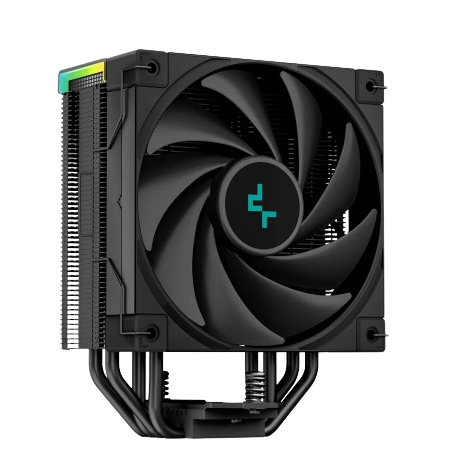
Cooling should also match CPU power consumption and overall case airflow. Case fans help move cool air into the computer and remove heat produced by the GPU and CPU.
Finally, the PC case needs enough space for the motherboard, graphics card, cooling system, storage, and power supply.
How Can You Make a PC Easier to Upgrade?
Future upgrades should be considered when selecting components.
A motherboard with additional RAM slots, M.2 storage connections, and suitable expansion support can make future changes easier. A quality power supply with reasonable additional capacity may also accommodate a stronger graphics card later.
Case dimensions and airflow matter as well because newer graphics cards or larger cooling systems may require additional space.
Planning for realistic future upgrades can improve the useful life of the PC without forcing you to overspend on features you may never use.
Conclusion
Choosing the right PC parts requires understanding how the GPU, graphics cards, processors, and motherboard interact. The graphics card determines much of the visual performance, the CPU handles general processing and game calculations, while the motherboard provides compatibility and connectivity between the major components.
Instead of focusing on one specification or purchasing the most expensive hardware available, build around your actual gaming resolution, FPS target, applications, budget, and upgrade plans. A balanced set of compatible PC components can deliver more consistent performance and provide a stronger foundation for future upgrades.